 Pithia
The Mac browser that does what you tell it.
Pithia is a WebKit browser for macOS with user scripts, a request blocker you control, and unpacked extensions. No account. No telemetry. Free.
Free. Needs macOS 15.4 or later. Apple Silicon and Intel. .
Built on WebKit, the engine inside Safari.
Browsers decide what you may change. This one asks you.
Block anything you name.
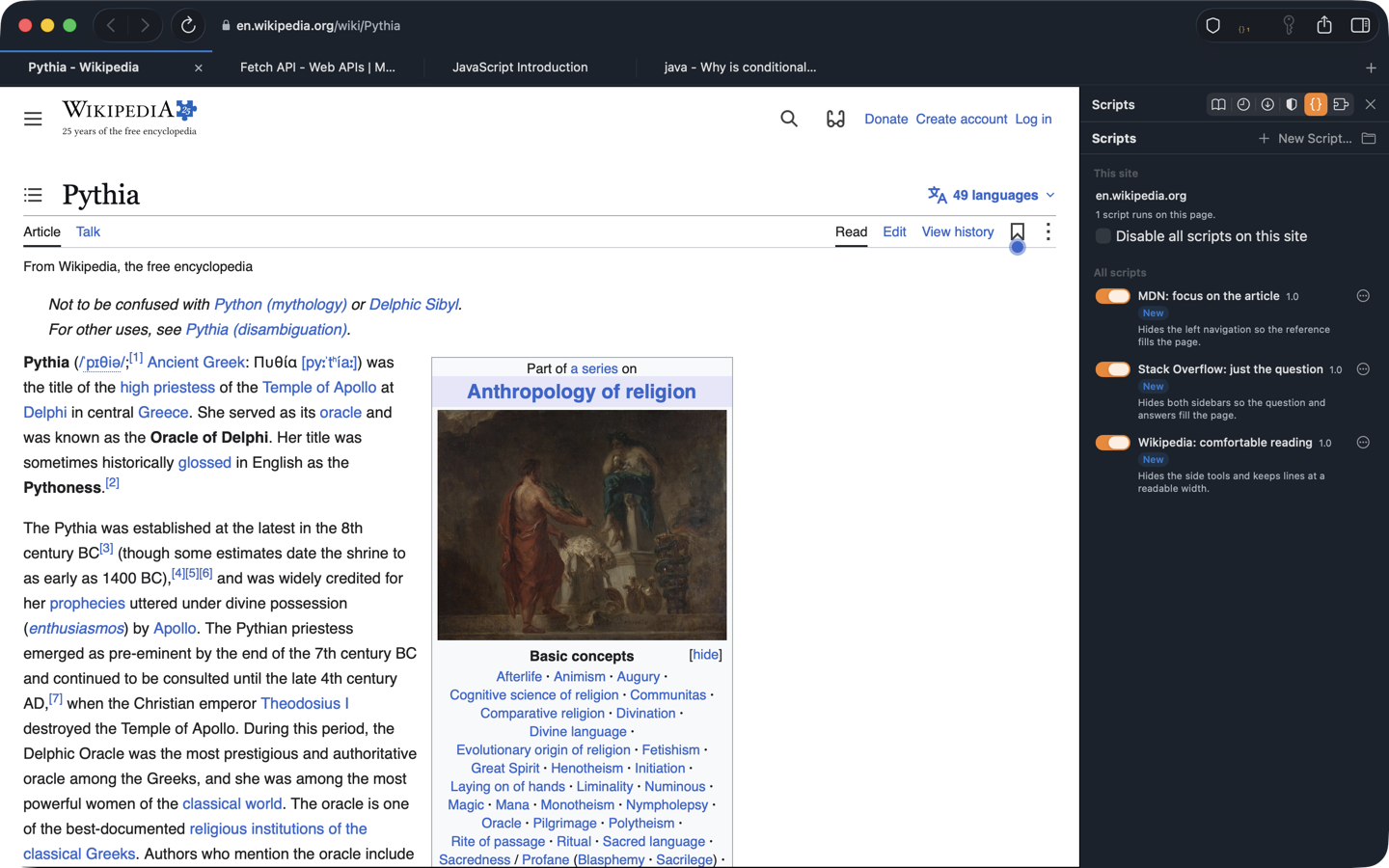
Write a rule or paste a filter list. WebKit compiles it and drops the request before it leaves your Mac. No extension API deciding what is allowed.
Script any site.
Drop a .user.js file into the Scripts folder and it runs on the pages you choose. Open the console on any tab and talk to the page directly.
Bring your extensions. Skip the store.
Load an unpacked Chrome- or Firefox-style extension from a folder. No developer account, no review queue, no signing.
Everything a daily browser needs.
Tabs, bookmarks, history, downloads, find, zoom, private tabs, and passwords kept in your Mac's Keychain. Import bookmarks from any browser as an HTML file.
One script, one site, your rules.
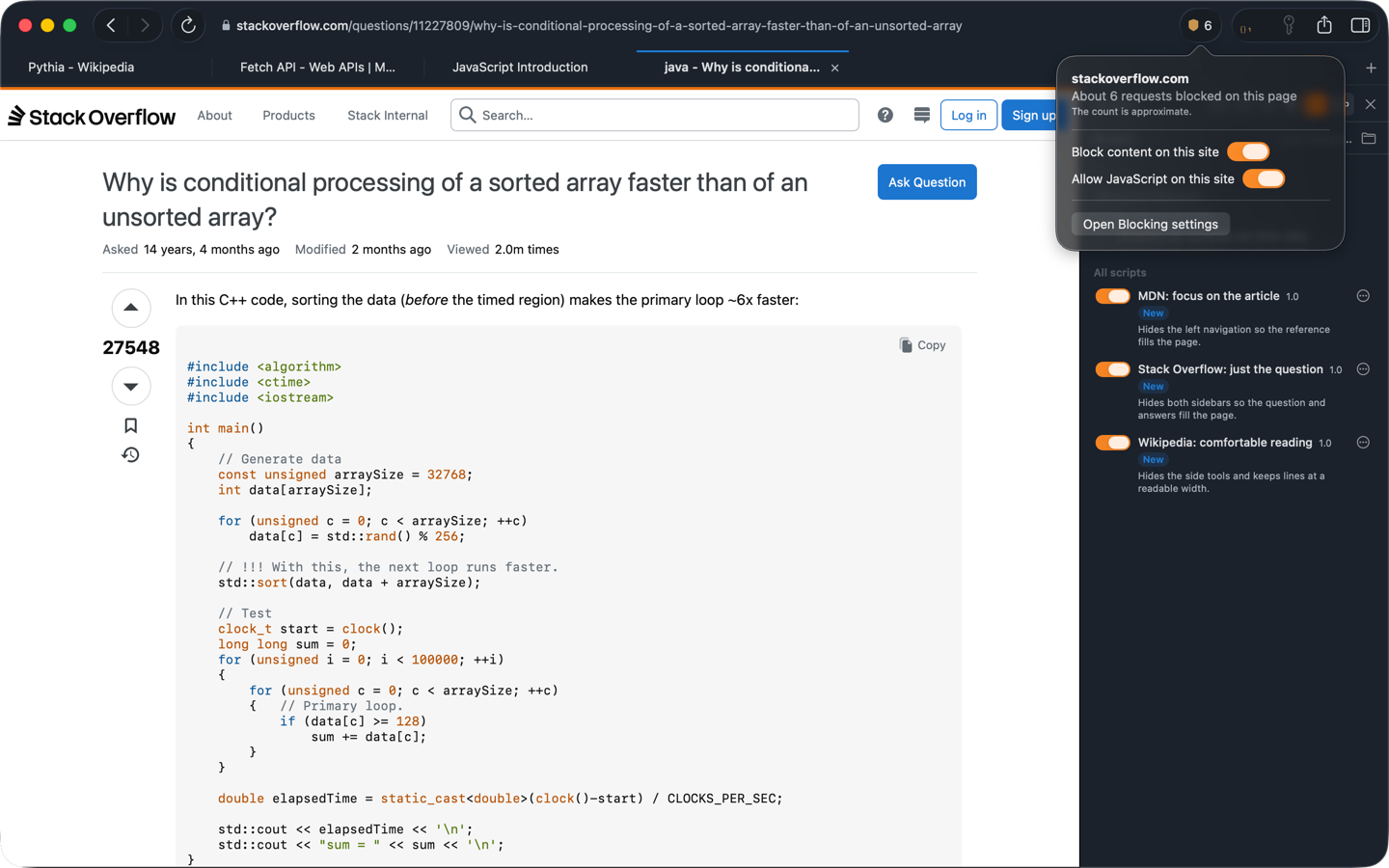
Runs only on the sites you list.
// ==UserScript==
// @name        Stack Overflow: just the question
// @match       https://stackoverflow.com/questions/*
// @grant       GM_addStyle
// ==/UserScript==
GM_addStyle(`
  #left-sidebar, #sidebar { display: none !important; }
  #mainbar { width: 100% !important; }
`);
Running in under a minute.
-
Download Pithia and drag it to Applications.
-
Open it once. macOS will ask you to approve it in System Settings, under Privacy and Security, because Pithia is not yet notarized by Apple. You do this one time.
-
Browse. Add a script, a blocklist, or an extension from Settings whenever you want.
Fair questions.
- Why WebKit and not Chromium?
- WebKit is already on your Mac and tuned for it, so Pithia shares Safari's battery and memory behaviour. The app stays a few megabytes instead of a few hundred.
- What does Pithia send home?
- Nothing. There is no analytics code, no account, and no sync server. The only call Pithia makes on its own is an optional update check to pithia.io, and you can turn it off.
- Why does macOS warn me the first time?
- Pithia is signed but not yet notarized with Apple, which requires a paid developer membership. Until then macOS asks you to approve it once. The download is served over HTTPS and its SHA-256 checksum is published beside it: .
- Where is my data?
- On your Mac only, in Pithia's Application Support folder. Delete that folder and the app and nothing remains.
Before you download.
- What does it cost?
- Nothing. Pithia is free to download and use.
- Which Macs does it run on?
- Any Mac on macOS 15.4 or later, Apple Silicon or Intel.
- Can I make it my default browser?
- Yes. After the first launch, choose Pithia under System Settings, Desktop and Dock, Default web browser.
- How do updates work?
- Pithia checks pithia.io for a newer version when you ask it to, or daily if you turn that on, and shows you a download link. Nothing installs itself.
- Can I import my bookmarks?
- Yes. Export bookmarks from your current browser as an HTML file, then use File, Import Bookmarks in Pithia.